
Reduce workplace risk through clear Back Safety: Office Work Settings instruction on office ergonomics, body mechanics, and back injury prevention.

Focused on real-world application, Back Safety: Office Work Settings turns core concepts into clear actions learners can use at work. Key outcomes include the ability to spot office situations causing back injuries, practice correct posture and body mechanics, and describe safely lift, carry, and move objects. The material also helps learners implement ergonomic practices for a back-safe work environment. Practical examples connect the subject to routine tasks, expected procedures, and decisions employees may need to make on the job. Learners finish with a clearer understanding of what to look for, how to respond, and when to raise a concern or seek additional guidance.
Office back safety training is for anyone who spends most of the day at a desk, including administrative, customer service, IT, and management staff. It also helps office workers who occasionally lift supply boxes, files, or equipment. Employers with remote or hybrid staff can use it to support safer home workstations.
Yes, sitting at a desk for long periods can cause back pain, especially with poor posture or a badly adjusted chair and monitor. Slouching and leaning forward strain the spine, and the damage often builds gradually. Standing, stretching, and changing position regularly helps reduce that strain.
An office workstation protects your back when the chair supports the lower back, feet rest flat, and knees sit about level with the hips. Place the monitor at about eye level and an arm's length away. Keep the keyboard and mouse close so your elbows stay near your sides.
OSHA has no specific office ergonomics standard, but the General Duty Clause of the OSH Act requires employers to address recognized serious hazards. Ergonomic risks that lead to back injuries can fall under that clause. Office back safety training is one way employers address these hazards and reduce injury reports.
To lift boxes safely in an office, test the weight first, keep the load close, bend at the knees, and avoid twisting. Use a cart for heavy cases of paper or equipment, and ask for help with awkward items. The 7-minute video, available in English, Spanish and French, covers proper posture and body mechanics.
Schedule a demo with one of our reps
Our extensive Learning Management System allows you to dispatch knowledge and required certificates to teams across your site portfolio.
Our platform caters to all learning styles and scenarios, ensuring effective knowledge retention.
Take control of the learning experience with our configurable class structure. Tailor the training journey to match your organizational needs.
Deliver targeted safety training regimens at every level, putting safety directly into the hands of your workforce.


Deliver more than 400 online safety courses as well as your own training with the SafetyAmp learning management system.
Easily enroll employees into training courses, whether they're in a classroom or taken online - then visualize training history and compliance across multiple locations.
SCORM-compatible
Library of 400+ courses from partner training providers
Create online training courses
Quickly view employee training history
Schedule classroom training sessions
Manage training renewals
Eliminate lost certificates
Built-in reports for training compliance

Other Courses

Build confidence for critical moments through clear Hot Work Safety: Welding, Cutting, and Brazing instruction on frequent hazards associated with welding, cutting, and brazing.

Make workplace requirements clearer. Get a practical overview of spaces using OSHA’s three-pillar criteria for bodily entry in Confined Spaces: Acceptable Entry Conditions.
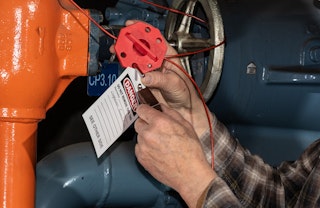
Give maintenance workers a clear six-step lockout/tagout routine, from identifying hazardous energy to verifying isolation before any work begins.


Made in the U.S.A.
© Copyright 2026